Keyword research is the process of finding the exact phrases people type into Google, then choosing the ones your blog can realistically rank for. For a new blog, the simplest method is to pick a narrow topic, collect ideas from free sources, check what Google is already showing for each phrase, and target specific long-tail keywords that bigger sites have overlooked.
This guide walks through that process in nine steps, using free tools and a bit of common sense.
Why keyword research matters more for a new blog
An established site can rank for broad terms because it has years of links and trust behind it. A new blog has neither. If your first article targets a term such as ‘SEO’, you are competing with the biggest publishers on the web, and you are very unlikely to appear anywhere near page one.
Good keyword research stops you wasting weeks on articles nobody will find. It shows you where the gaps are, so your first posts can win small but real traffic and build momentum from there.
Step 1: Start with topics, not tools
Before you open any tool, write down five to ten broad topics your blog covers. For a blog about websites and SEO, that might be:
- keyword research
- Search Console
- recovering from a Google update
- valuing a website
- choosing a blog niche
Under each topic, list the questions a beginner would ask. ‘How do I know if my domain has a penalty?’ is a far better starting point than a vague word like ‘penalty’. These questions become your seed keywords.
Step 2: Collect keyword ideas for free
You do not need a paid subscription to build a solid list. Useful free sources include:
- Google Autocomplete. Type your seed phrase into Google and note the suggestions. Add a letter after it (a, b, c and so on) to see more.
- People Also Ask and Related searches. These boxes show real follow-up questions and are ideal for subheadings and FAQs.
- Google Search Console. Once your site has some impressions, the Performance report shows the queries you already appear for. It is the most accurate data you will get about your own site.
- Forums and communities. Reddit, Quora and Facebook groups show the exact words beginners use when they are stuck.
- Keyword tools. Google Keyword Planner (it needs a free Google Ads account), Google Trends and the free tiers of tools such as Ahrefs or Semrush can add volume estimates and variations. Free limits change, so check what each tool currently allows.
Aim for around 30 to 50 raw ideas per topic. You will cut most of them in the next steps.
Step 3: Understand search intent
Search intent is the reason behind a search. If your page does not match it, it will struggle to rank, however well you optimise it. The four common types are:
- Informational: the person wants to learn something, for example ‘what is a long-tail keyword’. A guide or tutorial fits.
- Commercial: the person is comparing options, for example ‘best keyword research tools‘. A review or comparison fits.
- Transactional: the person is ready to buy or sign up. A product or service page fits.
- Navigational: the person wants a specific site, such as a login page.
The quickest check is to search the keyword yourself and look at the top ten results. If they are all how-to articles, a how-to article can compete. If they are all product pages or videos, a blog post is probably the wrong format for that phrase.
Step 4: Prefer long-tail keywords
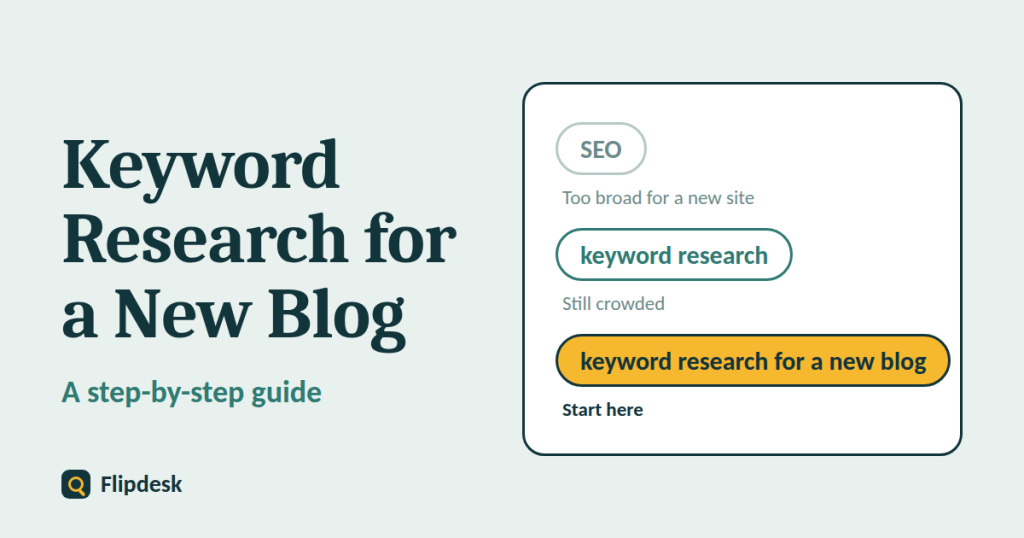
Long-tail keywords are longer, more specific phrases. They usually have lower search volume, but they also have less competition and a clearer intent, which makes them the best target for a new blog.
- Broad: ‘SEO’
- Narrower: ‘keyword research’
- Long-tail: ‘how to do keyword research for a new blog’
- More specific still: ‘free keyword research for a new blog with no budget’
A page that ranks for a specific phrase and brings in a steady trickle of the right readers is worth more than one aimed at an impossible term that brings in nothing.
Step 5: Judge the competition realistically
Most tools give a keyword difficulty score. Treat it as a rough guide only, because each tool calculates it differently and the numbers cannot be compared across tools. A manual check of the search results is more reliable. Search your keyword and ask:
- Are the top results all large brands and well-known publishers?
- Are any small blogs, forum threads or newer sites ranking? That is a good sign.
- Are the top articles out of date or thin? You may be able to beat them with a clearer, more current guide.
- Do the titles match your keyword closely, or does Google seem unsure what to show?
If small sites and forums appear on page one, the keyword is usually worth trying. If every result comes from a household name, move on.
Step 6: Prioritise with a simple score
Once you have a shortlist, score each keyword from 1 to 3 on four points:
- how relevant it is to your blog
- how well you can match the search intent
- how weak the competition looks (3 is easiest)
- how valuable the reader is to you, for example whether they might later use an affiliate link or buy a service
Add the scores together and write about the highest-scoring keywords first. A basic spreadsheet with columns for keyword, intent, competition notes, score and status is all you need.
Step 7: Give each keyword its own page
Map one primary keyword to one article. If you write two articles aimed at the same phrase, they compete against each other, which is called keyword cannibalizations.
For each article, use the primary keyword naturally in:
- the title and H1
- the URL
- the first paragraph
- one or two subheadings
- the meta description
Then add a handful of related phrases and questions where they fit. Write for the reader first. Repeating a keyword unnaturally does not help and makes the article harder to read.
Step 8: Build topic clusters
Rather than publishing random posts, group articles around a central topic. For example, a site recovery cluster might include one main guide on recovering a site after a Google update, supported by shorter articles on checking for penalties, cleaning up thin content and using Search Console. Link these articles to one another with descriptive anchor text. This helps readers move through your site and helps Google understand what your blog is about.
Step 9: Track results and refine
Connect your site to Google Search Console as early as possible, and review it every few weeks once your articles have been indexed. Look for:
- queries with many impressions but few clicks (improve the title and description)
- pages stuck on the second page of results (expand the content and add internal links)
- unexpected queries that suggest new article ideas
New sites typically take months rather than days to see steady traffic, and nobody can guarantee a ranking. Consistent publishing and regular updates give you the best chance.
Common keyword research mistakes
- Chasing only high-volume keywords
- Ignoring search intent
- Writing several articles for the same keyword
- Stuffing keywords into every sentence
- Never revisiting old articles once they are published
Frequently asked questions
How many keywords should I target in one article?
One primary keyword, plus a handful of closely related phrases and questions that fit naturally into the content.
What is a good search volume for a new blog?
There is no fixed number. A keyword with low volume but strong relevance and clear intent can bring more useful readers than a popular term you cannot rank for.
Do I need paid keyword research tools?
No. Free sources such as Autocomplete, People Also Ask, Google Trends, Keyword Planner and Search Console are enough to start. Paid tools save time and offer more data once your blog grows.
How often should I do keyword research?
Do a full round before you start, then revisit it every few months or whenever you finish a cluster of articles.
How long does it take for keyword research to work?
It varies by niche and competition. Expect weeks for indexing and often several months before traffic grows steadily.
Conclusion
Keyword research for a new blog comes down to choosing battles you can win. Start with your topics, gather ideas from free sources, check the intent behind each phrase, target specific long-tail keywords and give each one its own article.
Today, write down 20 long-tail questions from your niche, check the search results for each, and pick the five with the weakest competition. Those are your first articles.